AI Workflow
Use-case
The AI workflow in BeLazy allows you to implement any XLIFF transformation regardless of the TMS you are using. While the XLIFF workflow can work with any tool, we chose the name AI Workflow because the most typical use-case is implementing one of the following AI use-cases:
- machine translation
- machine translation quality estimation
- terminology/glossary extraction
- automated post-editing of texts
- automated quality evaluation of translated texts
Use these APIs if you want to implement machine translation, large language models, or specialized tools such as API-driven QA providers, machine translation quality estimation providers, or machine translation middleware across a wide range of translation management systems in a production environment. The same APIs also allow you to use the mentioned systems if you have source files, for example coming from a portal, and then use BeLazy to create a project in a translation management system and process the files there.
The BeLazy AI workflow also incorporates the use of a business management system such as Plunet, XTRF, or Protemos, but using such a system is not mandatory: BeLazy's own BMS capabilities can also be used for the workflow selection and configuration. The built-in Google Sheets BMS is a fully supported option for this purpose — it covers workflow configuration, project tracking, and reporting without requiring a commercial BMS or custom development.
Requirements
In order to use the BeLazy AI workflow, you need to do the following:
- Set up the required workflows in your BMS. If you are using the BeLazy REST API as your BMS, make sure you have workflows imported from JSON. If you are using Plunet, XTRF or Protemos, make sure you have implemented the right workflow templates for the AI-based operations.
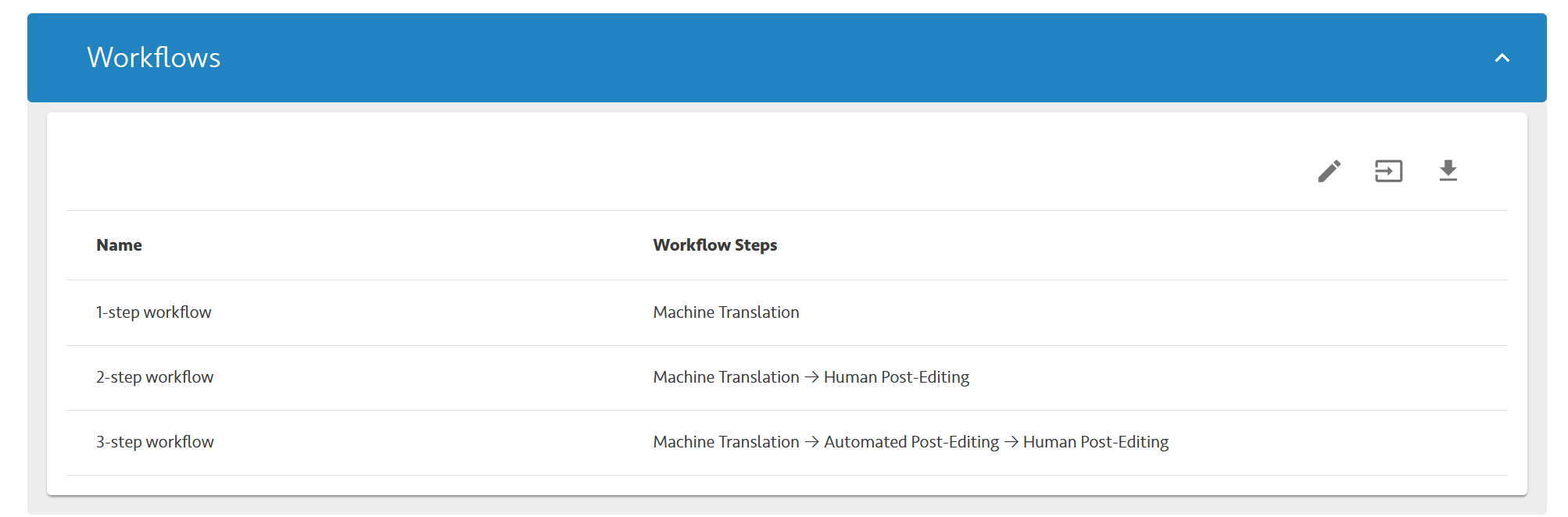
- Configure a TMS connection with a TMS that supports XLIFF. In the Workflow tab, make sure that for each BMS job that you want to process automatically you have the first (XLIFF download), second (XLIFF upload) and third (job closing) icons selected. BMS jobs appear on the right side - these job names will be sent to you in the webhook later, so make sure that the names describe the operation you want to perform. In the Files tab, ensure that the Permanently store files in BeLazy option is enabled.
- Configure the Files from the origin system are ready for processing project webhook under Webhooks.
How It Works
See the flowchart below how you can implement an XLIFF processing:

Implementation
-
Download the bilingual files.
The project ID and the file ID are included in the webhook response. -
Implement AI routing, APIs and prompting
The webhook also contains information about the source and target language and the BMS workflow step's name. If you need more information, the Get Project call gives you all metadata about the project. Use the AI APIs available to send and receive the XLIFF. -
Upload the translated files to BeLazy.
You are responsible for making sure that the XLIFFs can be imported into the translation management system. This call returns file IDs. -
Turn the uploaded files into deliverables for the given pricing item.
The projectId, pricingItemId come from the webhook. The fileId was returned in the previous call. Filename, (target) language also come from the webhook. fileType is BilingualDocument. Repeat steps 3 and 4 for each file. -
Close the BMS job when all files have been successfully uploaded.
The bmsProjectId and jobId fields are included in the webhook.
This will close the BMS job in every BMS. BeLazy soon picks up that the BMS job was closed and if file upload and job delivery from the BMS are enabled in the workflow configuration, it will deliver the files back into the translation management system. If there are multiple steps with XLIFF download enabled, it will open the next step and download the XLIFF and send a webhook. While this XLIFF is likely to be identical to the previous XLIFF, it is recommended to perform the above sequence of steps for each step.